
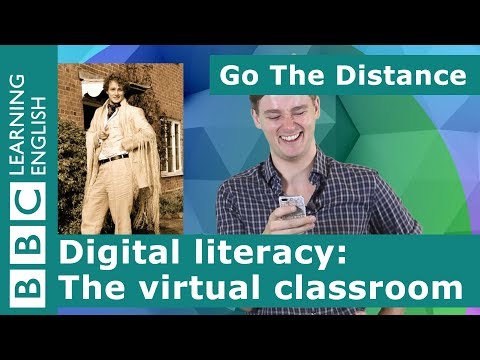
Good times.
Oh hi,
I’m just taking a walk
down memory lane
and looking at some old photos
of my student days.
Things have changed
a lot for students.
When I was at university,
we had to go to lecture theatres
and attend seminars
with our tutors in their offices.
Now, all of that
still goes on,
but lots of academic institutions
now allow students to
study online
without having to go to a lecture.
That’s really useful
for distance learners,
and that’s what we are going to
talk about today:
learning in a virtual classroom.
So what do
I mean by a virtual classroom?
Well that is when
distance learning students
and tutors ‘meet’
online at a specific time
to have a live lesson.
This is often known
as a ‘webinar’.
And it means you have a lesson
live in real time,
but all the people attending
are in different places.
So, why is this such
a great innovation?
Well, just think about it.
A webinar has all the benefits
of a physical class,
but you can attend and participate
from the comfort
of your own home, or place of work.
You see and hear
the teacher and
can ask questions,
but you don’t need
to be physically there.
This kind of flexibility
means that lots of people
who are too busy,
or live too far away
from a college, can study
the same as students
who physically attend their academic institutions.
So how does this work?
Well, to attend a webinar
you obviously have to have
access to a computer,
smartphone or tablet
that is connected to the internet.
You probably need a good internet
connection because the webinar
is streaming video and audio
to your computer.
‘Streaming’
means ‘receiving and playing media
from the internet to your device
in real time’, like
you do on video sites
like YouTube and Vimeo.
It’s different from
downloading because you
don’t get to keep the video
after watching it.
So, to join the webinar
you will need to login
to your academic institution’s website using
your password.
Once you are logged in,
you will join the webinar
at the scheduled date
and time.
Don’t forget to plug in
your headphones or turn up the volume
so you can hear what
is going on.
Now we know how
you can see and hear the lesson,
but what about asking questions?
Usually, there is a chat
or messaging facility
that allows you to
type in questions for the teacher.
You just write your comment
and send it.
Alternatively, sometimes you may
be able to ask questions by speaking.
For this you will need
to use a microphone attached to or
built into your device.
It’s a bit like using
digital communication tools like Skype or WhatsApp.
In fact, sometimes,
webinars can take place
using these popular platforms
that many people already use to
keep in touch with friends and family.
So that’s your introduction
to webinars for learning online.
Hope you enjoyed it and see you next time!
Bye bye!
Oh hi,
I’m just taking a walk
down memory lane
and looking at some old photos
of my student days.
Things have changed
a lot for students.
When I was at university,
we had to go to lecture theatres
and attend seminars
with our tutors in their offices.
Now, all of that
still goes on,
but lots of academic institutions
now allow students to
study online
without having to go to a lecture.
That’s really useful
for distance learners,
and that’s what we are going to
talk about today:
learning in a virtual classroom.
So what do
I mean by a virtual classroom?
Well that is when
distance learning students
and tutors ‘meet’
online at a specific time
to have a live lesson.
This is often known
as a ‘webinar’.
And it means you have a lesson
live in real time,
but all the people attending
are in different places.
So, why is this such
a great innovation?
Well, just think about it.
A webinar has all the benefits
of a physical class,
but you can attend and participate
from the comfort
of your own home, or place of work.
You see and hear
the teacher and
can ask questions,
but you don’t need
to be physically there.
This kind of flexibility
means that lots of people
who are too busy,
or live too far away
from a college, can study
the same as students
who physically attend their academic institutions.
So how does this work?
Well, to attend a webinar
you obviously have to have
access to a computer,
smartphone or tablet
that is connected to the internet.
You probably need a good internet
connection because the webinar
is streaming video and audio
to your computer.
‘Streaming’
means ‘receiving and playing media
from the internet to your device
in real time’, like
you do on video sites
like YouTube and Vimeo.
It’s different from
downloading because you
don’t get to keep the video
after watching it.
So, to join the webinar
you will need to login
to your academic institution’s website using
your password.
Once you are logged in,
you will join the webinar
at the scheduled date
and time.
Don’t forget to plug in
your headphones or turn up the volume
so you can hear what
is going on.
Now we know how
you can see and hear the lesson,
but what about asking questions?
Usually, there is a chat
or messaging facility
that allows you to
type in questions for the teacher.
You just write your comment
and send it.
Alternatively, sometimes you may
be able to ask questions by speaking.
For this you will need
to use a microphone attached to or
built into your device.
It’s a bit like using
digital communication tools like Skype or WhatsApp.
In fact, sometimes,
webinars can take place
using these popular platforms
that many people already use to
keep in touch with friends and family.
So that’s your introduction
to webinars for learning online.
Hope you enjoyed it and see you next time!
Bye bye!
Please follow and like us: