
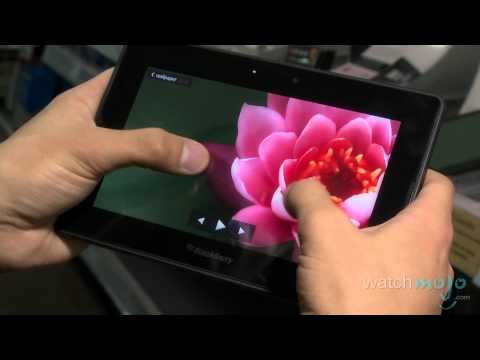
hi I’m Rebecca Brayton and welcome to
watchmojo.com and today we’ll be getting
a demo of research in motion’s
blackberry playbook the great thing
about the new BlackBerry PlayBook is
that you have access to multitasking
that’s very easy to use so for example
let’s start with the browser all the
websites will work it’s never going to
tell you a mistake of connection or
something you can also zoom like this
just like on the other tablets so if you
want to open the second tab you just go
like this so you will have two tabs here
on the corner can go on YouTube and
start any video it’s not going to open a
second screen it’s what it will be in
the screen where you normally see them
it’s going to play on that actual screen
just like when you’re on normal computer
see and you can go fullscreen by doing
the same thing as on the computer like
this so here you go now you can decide
that you want to do two things at its at
the same time so you want to go on
pictures so you can open the pictures
you can actually zoom on them as well
you see details and here you go see
that’s the multitasking you really see
all of the windows that are open you can
also go on the camera you can take
pictures of 5 megapixels as we said like
this film in HD you have a music player
you can purchase music as well you can
create or do Word documents we also have
sheets to go it’s comparable to XL you
can create and view as well but the
great thing is that we have the hdmi
plug right here under it’s a micro HDMI
so if for example if you want to show a
slide show at work you will be able to
plug it with an Ag screen or to a
projector on the menu you have ear the
blackberry bridge it’s going to detect
your blackberry phone that you will have
on yourself by bluetooth it will
automatically sync all your contacts
calendar tasks BBM emails also you can
use the internet tethering so if you’re
in a zone where there is no Wi-Fi you
can also use the tree the package you
have on your phone to navigate on the
internet I could tell you that most of
the applications will be out
in the next few days and weeks but we
already open with 1000 applications
available on the system videos are full
HD as well so you really see all the
details it’s great colors right sound is
really good because you have the two
speakers on both sides
watchmojo.com and today we’ll be getting
a demo of research in motion’s
blackberry playbook the great thing
about the new BlackBerry PlayBook is
that you have access to multitasking
that’s very easy to use so for example
let’s start with the browser all the
websites will work it’s never going to
tell you a mistake of connection or
something you can also zoom like this
just like on the other tablets so if you
want to open the second tab you just go
like this so you will have two tabs here
on the corner can go on YouTube and
start any video it’s not going to open a
second screen it’s what it will be in
the screen where you normally see them
it’s going to play on that actual screen
just like when you’re on normal computer
see and you can go fullscreen by doing
the same thing as on the computer like
this so here you go now you can decide
that you want to do two things at its at
the same time so you want to go on
pictures so you can open the pictures
you can actually zoom on them as well
you see details and here you go see
that’s the multitasking you really see
all of the windows that are open you can
also go on the camera you can take
pictures of 5 megapixels as we said like
this film in HD you have a music player
you can purchase music as well you can
create or do Word documents we also have
sheets to go it’s comparable to XL you
can create and view as well but the
great thing is that we have the hdmi
plug right here under it’s a micro HDMI
so if for example if you want to show a
slide show at work you will be able to
plug it with an Ag screen or to a
projector on the menu you have ear the
blackberry bridge it’s going to detect
your blackberry phone that you will have
on yourself by bluetooth it will
automatically sync all your contacts
calendar tasks BBM emails also you can
use the internet tethering so if you’re
in a zone where there is no Wi-Fi you
can also use the tree the package you
have on your phone to navigate on the
internet I could tell you that most of
the applications will be out
in the next few days and weeks but we
already open with 1000 applications
available on the system videos are full
HD as well so you really see all the
details it’s great colors right sound is
really good because you have the two
speakers on both sides
Please follow and like us: