
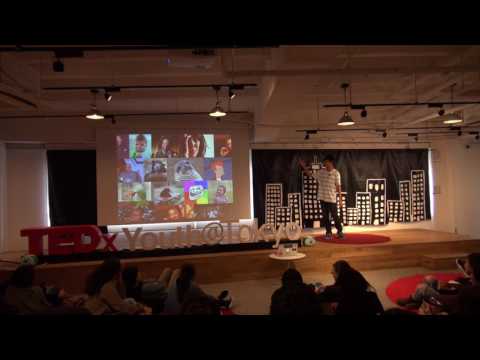
good afternoon so bad powerpoints are a
problem let’s say I had this PowerPoint
behind me while I was talking it can
serve bad slides can ruin your talk or
your presentation oh well it doesn’t
help at all as a visual aid so to solve
this problem all we all we have to do is
teach people how to make good
powerpoints but instead of that I would
like to tell you guys the of the fun
things you can do with Microsoft
PowerPoint by having fun I believe that
you will naturally get better at that
thing you’re having fun with so talking
about the fun things the first thing you
can do with Microsoft PowerPoint i’d
like to introduce is more useful than
fun so we have an image here in a slide
the white background is kind of in the
way what you can do with PowerPoint is
by selecting the image going to the
format settings there’s something called
remove backgrounds when if you click on
it tada
well so you can remove the background
and make your slide look much prettier
than before
you can also do this with normal photos
you take as long as the background is
easily detectable so going on to the fun
things you can play with text how you
get a text box type in anything change
it to impact font italicize it all
capitals and you can make a nike logo
with this another way another way you
can make a logo is get a text box Arial
black font bold adjust the spacing make
it read all capitals can anyone guess
what this is now
yeah you get the Ted logo so you can try
out many other logos or even make your
own logo so go ahead and try exploring
PowerPoint another way you can play with
text is making memes so what you do is
well select your base image for your
mean it can be your own photograph
because this is PowerPoint get your text
box impact font
black outline and white filling and put
that text box on top of your pic base
image and at the bottom of your base
image and you get a mean so go go try
making those memes without those or in
browser applications you can make you
with PowerPoint you can also play with
shapes in Microsoft PowerPoint so get a
circle add some shapes color it and you
get a polar bear or you could change the
color and get a brown bear so try out
those different combinations of shapes
and you can get many other things and
make pictures may be useful something
useful for your PowerPoint so go have
fun with that too
so playing with animations you can make
a lyric video thing so does everyone
know if you’re happy and you know it
please sing along if you’re happy and
you know it clap your hands if you’re
happy and you know it clap your hands if
you’re happy and you know thank you go
have fun with PowerPoint
thank you [Applause]